
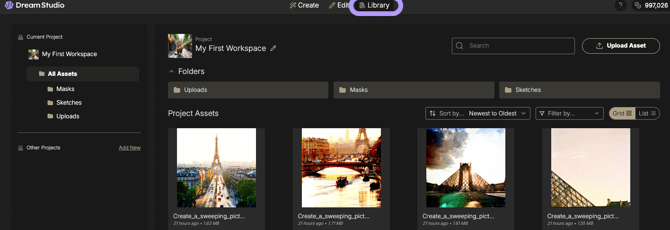
In Brand Studio, team collaboration centers on the Library, a centralized system of record that transforms the platform from a session-based tool into a persistent, project-based workspace. By establishing a structured hierarchy and consistent naming conventions, teams can manage creative operations at scale with total technical and stylistic alignment.
What it is
Collaboration in Brand Studio is the systematic organization of digital assets, including generations, Uploads, Masks, and Sketches, into a shared, structured hierarchy. The platform stores the exact state of every creative process (including prompt fragments, seeds, and model versions), allowing any team member to reproduce or iterate on a colleague’s work with surgical precision.
Why it matters
Establishing a rigorous project space and naming convention is essential for professional creative operations:
- IP Governance: Separating assets into distinct Project Containers (ex. by client name or brand) prevents cross-contamination of proprietary intellectual property between different workstreams.
- Workflow Reproducibility: Consistent naming and saved parameters ensure important content isn't lost; any team member can roll back the engine to a specific state to continue production.
- Operational Audit: A structured Library with a Last Modified column allows team leads to review iteration cycles and manage production volume across the entire organization.
- Efficiency: Centralizing masks and sketches allows teams to reuse complex selection areas or rough concepts across multiple projects without starting from scratch.
How to use it
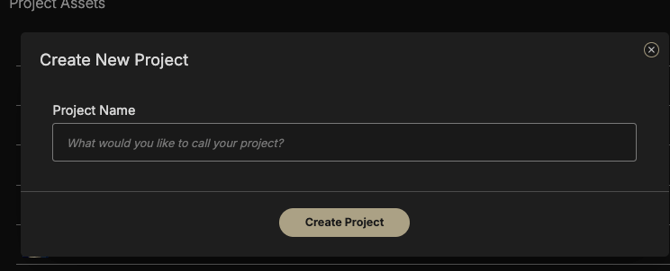
- Establish Project Containers: Navigate to the Library and create dedicated project folders to isolate different brand assets or campaign directions.
- Enforce Naming Consistency: Rename assets immediately upon generation or upload (ex. ProjectName_Subject_01) to ensure they are searchable within the team’s semantic log.
- Apply Version Control: When updating shared tools or models, use distinct naming conventions (ex. Mascot_V2) rather than overwriting files. Overwriting active models can break the reproducibility of older projects in your team's history.
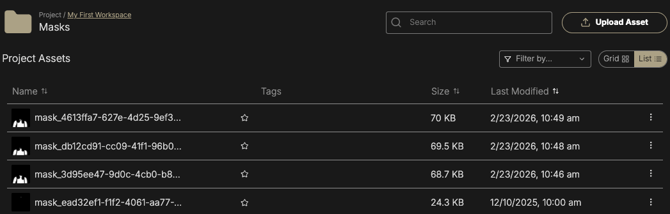
- Leverage Auto-Sorting: Let the system route technical files to their primary behavioral bucket (Uploads, Masks, and Sketches) to keep the primary project workspace clean.
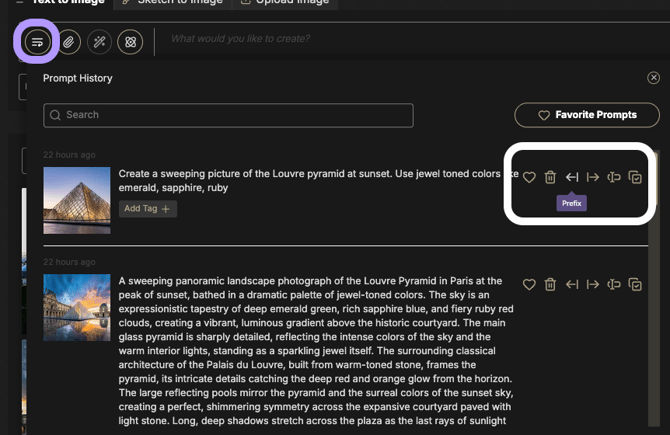
- Modularize and Inject Snippets: Use the Prefix and Suffix tools in the Prompt History to share successful subject or style descriptions as modular snippets that the team can inject into new processes.
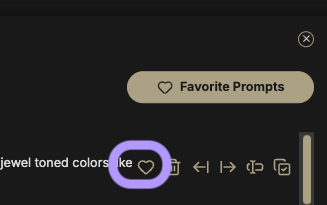
- Star High-Value Assets: Use the Favorites (Heart icon) to separate high-quality assets from project noise, making the best candidates immediately visible to the team.
Consistency Best Practices
- Preserve Transparency Metadata: When sharing assets for future compositing, avoid flattening cutouts prematurely to maintain subject integrity for relighting or multi-step editing.
- Establish Quality QA Loops: Build manual review steps into your team’s process to spot-check for mask consistency and visual complexity, ensuring all shared assets meet production-grade standards.
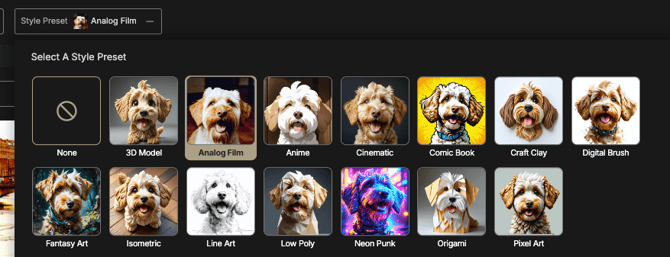
- Standardize with Style Presets: Direct your team to utilize specific Style Presets (like Isometric or Cinematic) to abstract complex prompting and ensure all generated asset libraries visually cohere.
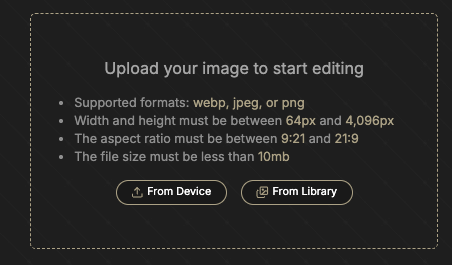
- Prioritize PNG for Shared Uploads: Use the PNG format for any external files added to the Library to prevent the system from interpreting JPEG compression artifacts as intended texture.